

25+ Social Media Call to Action Examples That Actually Get You Results
Using the right social media call to action may not seem like a big deal, until you’re staring at your social media insights and wondering, “People are seeing my posts… so why isn’t anyone actually doing anything?”
You can share helpful tips, behind-the-scenes content, product photos, or even personal stories and still end up with very little engagement. A few likes might trickle in, but the comments, saves, clicks, and sales you hoped for never seem to show up.
In most cases, the problem is not your content. It is what happens after your content.
People scroll fast. They might enjoy what you shared, but if you do not clearly tell them what to do next, they move on. That is where a call to action comes in.
A call to action gently guides your reader to take the next step. It turns a passive viewer into an active participant. And once you start using them intentionally, your posts can begin to feel more like conversations instead of announcements.
In this guide, I’ll walk you through what a call to action is, why it makes such a big difference, and how to use real examples that help you get more comments, saves, followers, and sales.
What Is a Call to Action on Social Media?
A call to action, often shortened to CTA, is simply a short phrase that tells your audience what to do next.
It can be as straightforward as:
- “Comment below”
- “Save this post”
- “Tap the link in my bio”
- “Send me a message”
That might sound basic, but it plays a much bigger role than most people realize.
When someone scrolls through social media, they are in browsing mode. They are not automatically thinking about interacting with your content. A CTA gives them a reason and a reminder to take action while they are already paying attention.
Your CTA helps move people from:
- reading → responding
- watching → clicking
- liking → signing up
- viewing → buying
It also helps the platform understand that your post is worth showing to more people. When your content gets comments, saves, and shares, it often reaches new users more easily.
So your CTA does not only support your audience. It also supports your reach.
What Makes a CTA Work?
A good call to action does not feel salesy or awkward. It feels natural, clear, and easy to follow. The best ones sound like something you would say in a real conversation.
Here are the key things that make a CTA more effective.
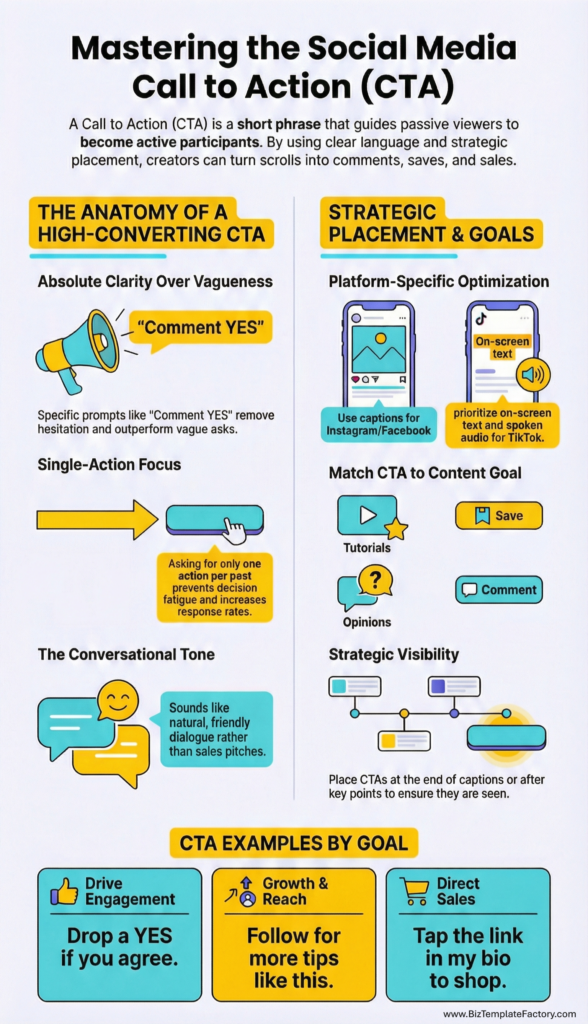
Clear Language
People respond better when they know exactly what you are asking for.
Instead of saying something vague like, “Let me know your thoughts,” you can be more specific and more inviting.
For example:
- “Comment YES if this helped you”
- “Save this so you can come back to it later”
- “Send me a message if you want the link”
Clarity removes hesitation. When people know what to do, they are more likely to do it.
One Main Action at a Time
It is tempting to ask people to like, comment, follow, share, and click all in one post. In reality, that often leads to no action at all.
Pick one main goal per post. If you want comments, focus your CTA on comments. If you want people to click your link, make that the single action you ask for.
This keeps your message simple and your results easier to track.
Simple, Friendly Words
You do not need complicated marketing language. The CTAs that perform best usually sound natural and easygoing.
Think about how you would talk to someone sitting across from you. That is usually the right tone to use.
Where You Place Your CTA Matters
Your CTA should be easy to spot.
Some creators place it at the end of the caption. Others place it in the middle for longer posts. For videos, adding your CTA as on-screen text or saying it out loud at the end can make a noticeable difference.
Later in this post, we will go over the best CTA placement by platform so you know exactly where to add them.
Social Media Call to Action Examples by Goal
One of the easiest ways to start using CTAs is to match them to what you actually want from each post. Some posts are meant to spark conversation. Others are meant to grow your audience, collect leads, or promote something you sell. When your CTA lines up with your goal, people are more likely to respond.
Below are examples you can copy, tweak, and use as inspiration.
CTAs to Get More Comments
Comments tell the platform that your content is interesting, and they also help you build relationships with your audience. If you want more conversations under your posts, these CTAs are a good place to start.
- “Which one would you choose? Tell me in the comments.”
- “Have you tried this before? Let me know below.”
- “Drop a YES if you agree.”
- “What would you add to this list?”
- “Comment your favorite tip.”
- “Which option fits you best?”
- “Tell me your biggest struggle with this.”
These work well on educational posts, lists, and opinion-based content. You are inviting people to share something about themselves, which feels natural and low-pressure.
CTAs to Get More Followers
Sometimes your goal is simply to grow your audience so new people can keep seeing your content. These CTAs are helpful when your post explains who you help and what people can expect from your page.
- “Follow for more tips like this.”
- “Follow me for daily social media advice.”
- “If this helped you, make sure you are following.”
- “More posts like this coming soon. Follow to stay updated.”
- “Follow along for simple marketing ideas.”
Use these on posts that deliver clear value so new visitors can quickly understand why they should stick around.
CTAs to Get More Saves and Shares
Saves and shares help your content travel further and stay visible longer. These CTAs work well for checklists, tutorials, and step-by-step posts.
- “Save this so you can come back to it later.”
- “Share this with a friend who needs it.”
- “Save this post for your next content planning session.”
- “Know someone who would find this helpful? Send it to them.”
- “Save this as a reminder.”
These are perfect for educational content that people may want to reference again.
CTAs to Get More Sign-Ups and Leads
When your goal is to grow your email list, bookings, or freebie downloads, your CTA should gently guide people to your link or messages.
- “Tap the link in my bio to grab the free guide.”
- “Send me a message for the link.”
- “Join my email list for more tips like this.”
- “Click the link in bio to sign up.”
- “Want the full checklist? The link is in my bio.”
Make sure your CTA clearly matches what people will receive when they click.
CTAs to Get More Sales
Sales CTAs should feel helpful and inviting, not pushy. Think about how you would explain your offer to a friend who asked about it.
- “Tap the link in my bio to see the full details.”
- “Shop the product through the link in my bio.”
- “Send me a message if you have questions before purchasing.”
- “Get instant access through the link in my bio.”
- “Check out the full offer at the link in my bio.”
These work best when paired with content that shows the value of your product or service.
Best CTA Placement by Platform
You can write the perfect call to action, but if people do not notice it, it will not get used. Each platform has its own rhythm and scrolling habits, so where you place your CTA matters.
Here is how to make your CTAs easier to spot on the most common platforms.
On Instagram, most people skim captions first and decide quickly whether to keep reading.
Good places for your CTA:
- At the very end of your caption
- After a key point in longer captions
- As on-screen text in reels
- Spoken at the end of reels
If your caption is long, you can also repeat your CTA at the bottom to make sure it does not get lost.
TikTok
On TikTok, people focus more on the video than the caption. Your CTA should be part of the video itself.
Effective options:
- Say your CTA out loud near the end of your video
- Add it as on-screen text
- Reinforce it in the caption
For example, if your goal is comments, you can end your video with a question and place the same question in your caption.
Facebook users often read captions more carefully, especially in groups.
Good CTA placements:
- At the end of your caption
- After your main point
- As a direct question
Clear questions and direct language work very well here.
Pinterest users are usually looking for ideas and solutions.
Best placement:
- In your pin description
- On the pin image itself
- On your linked blog post or landing page
CTAs like “Save this for later” and “Read the full guide” fit naturally here.
Common CTA Mistakes That Lower Engagement
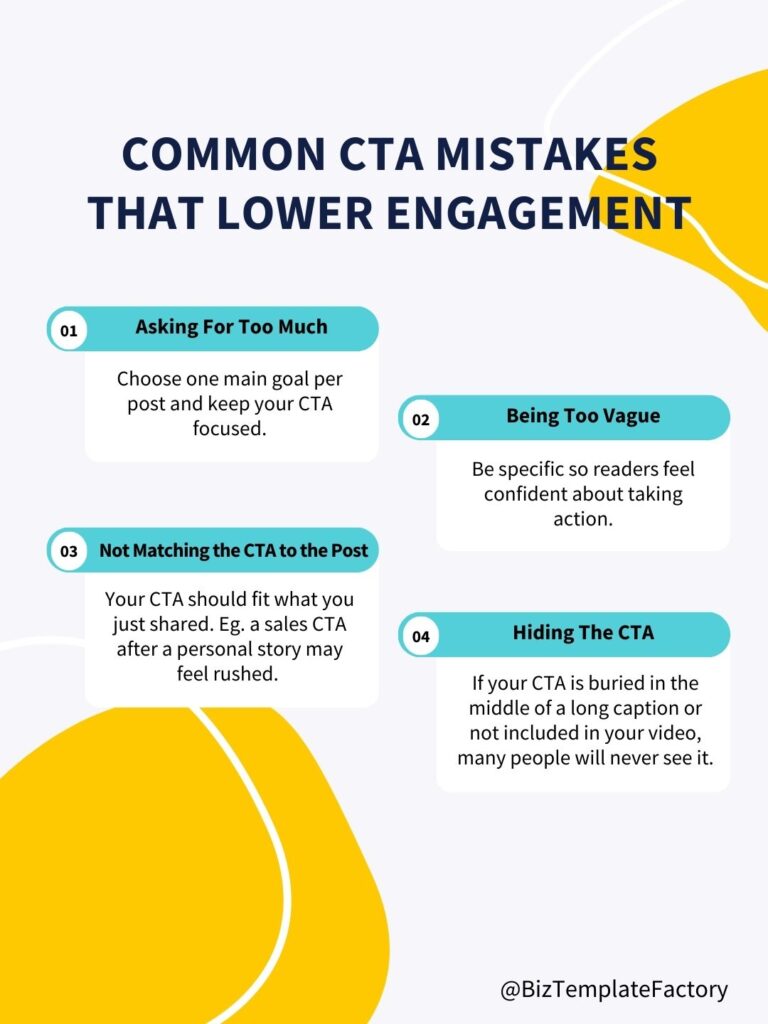
Sometimes small changes can make a big difference. Here are a few mistakes that often hold posts back.
Asking for Too Much
When you ask for too many actions in one post, people tend to skip all of them. Choose one main goal per post and keep your CTA focused.
Being Too Vague
Phrases like “Let me know” or “Check this out” do not tell people what to do. Be specific so readers feel confident about taking action.
Not Matching the CTA to the Post
Your CTA should fit what you just shared. A sales CTA after a personal story may feel rushed. A comment CTA after a tutorial usually feels natural.
Hiding the CTA
If your CTA is buried in the middle of a long caption or not included in your video, many people will never see it.
How to Create Your Own CTAs Faster
Once you start using calls to action regularly, you may notice that coming up with new ones can take more time than expected. The good news is that you do not need to reinvent your CTAs every time you post. A few simple habits can make this much easier.
Keep a CTA Swipe File
A swipe file is simply a personal list of CTAs you know work well for your content. Every time you find a CTA that feels natural and gets good responses, save it in a note on your phone or computer.
Over time, you will build your own collection that you can quickly pull from when you write captions.
Start With Action Verbs
Action verbs naturally encourage people to do something. Words like:
- Save
- Comment
- Join
- Send
- Tap
- Download
- Follow
You can mix and match these with the rest of your sentence to create new CTAs quickly.
For example:
- “Save this for later.”
- “Tap the link in my bio.”
- “Join the email list.”
- “Send me a message.”
Adjust for Your Voice
You do not have to sound like everyone else. If your brand voice is calm and friendly, keep your CTAs gentle. If your voice is upbeat and bold, your CTAs can be more energetic. What matters most is that they feel natural to you.
Batch Write Your CTAs
When you sit down to plan content, write several CTAs at once. This saves time and helps you stay consistent. You can then pair them with your posts as you schedule your content.
Want 180+ Ready-to-Use CTA Ideas?
If you enjoy having examples on hand, this is where ready-made CTA libraries can be a huge time-saver.
Instead of starting from scratch every time, you can use pre-written CTAs designed for different goals, platforms, and content types. This makes posting easier and keeps your captions consistent.
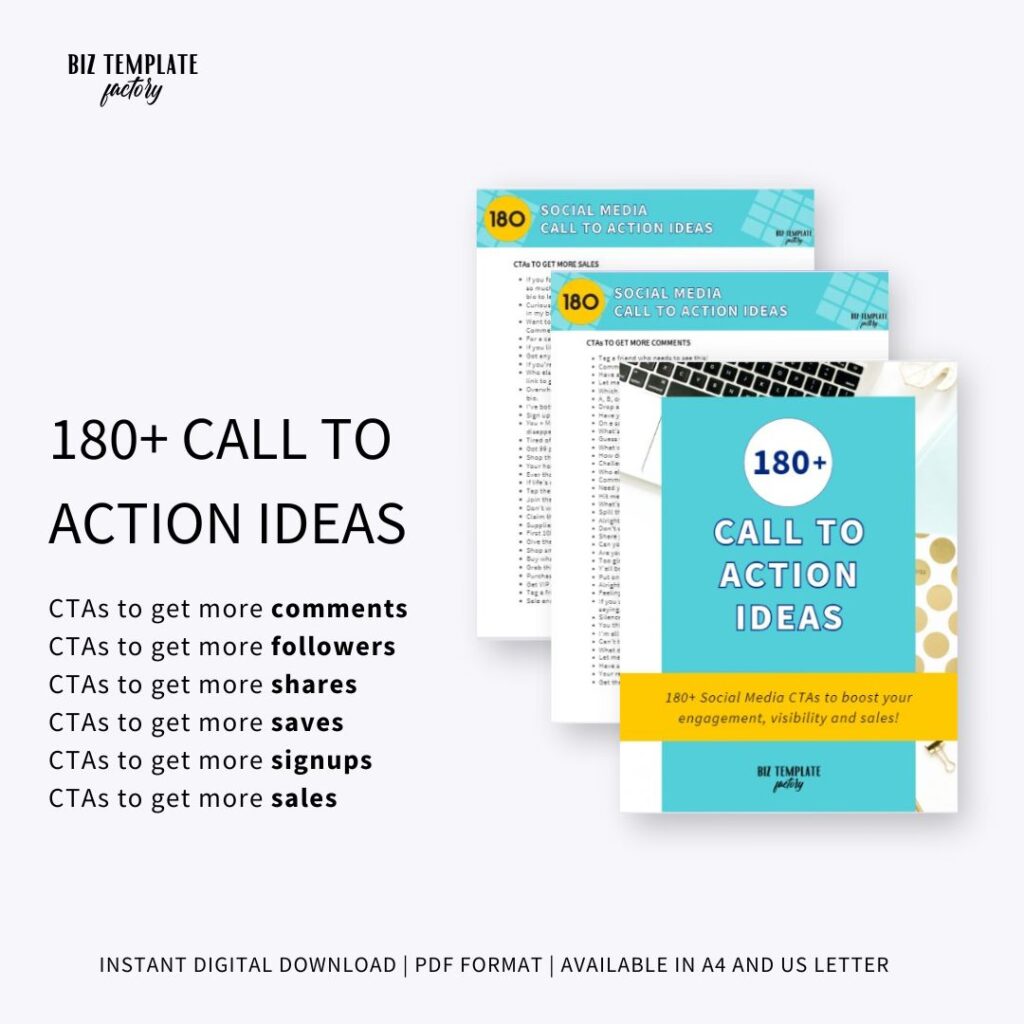
That is exactly why I created the 180+ Call to Action Ideas for Social Media. It includes CTAs to help you get more comments, followers, saves, sign-ups, and sales, along with a guide that shows you how to use them and a list of action verbs to help you create your own.
If you want a ready-to-use collection you can pull from any time, click the link to get it.
Frequently Asked Questions About Social Media CTAs
Should every post have a call to action?
Most posts benefit from having one clear call to action. Even a simple question or “save this for later” can give your content more purpose and direction. The goal is not to pressure people, but to gently guide them toward the next step.
How many CTAs should I use in one post?
One main CTA is usually enough. Too many choices can feel overwhelming and may lead to no action at all. Decide what the most important action is for that post and focus on that.
Do CTAs work on TikTok?
Yes. CTAs work very well on TikTok, especially when you say them out loud in your video and also include them in your caption. Asking a question or inviting people to comment can noticeably increase interaction.
What are the best CTAs for small businesses?
Small businesses often benefit from CTAs that build relationships first, such as:
- Asking for comments
- Inviting people to follow
- Encouraging saves and shares
These help warm up your audience before introducing sales-focused CTAs.
Final Thoughts
Your content can be helpful, creative, and visually appealing, but without a call to action, many people will simply scroll past it. A good CTA invites your audience into a conversation and gives your post a purpose beyond being seen.
By adding clear, friendly calls to action to your posts, you make it easier for people to comment, save, follow, sign up, and eventually buy from you.
If you want a ready-made collection of CTAs that you can use anytime, grab our 180+ Call to Action Ideas for Social Media. These CTAs will help you save time and stay consistent without overthinking what to post.
Start with one or two CTAs, test what feels natural for your content, and watch how your engagement begins to change.